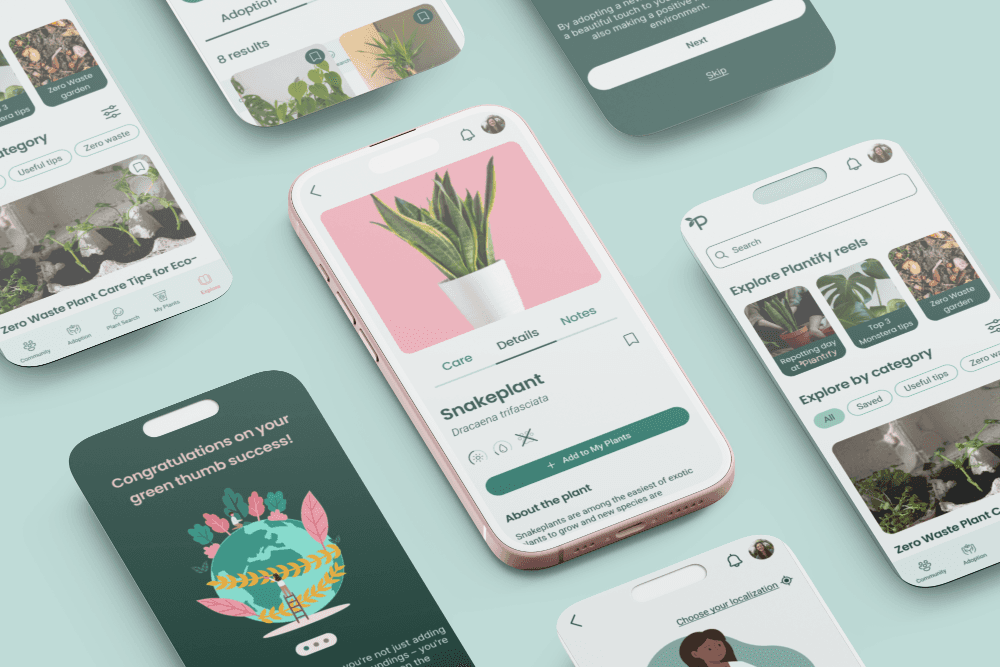
Allowing users to adopt plants in a zero waste manner

Mobile app for plant enthusiasts
Enables less-waste plant exchange among eco-conscious plant enthusiasts, provides a safe, plant-oriented community for sharing posts, and professional knowledge base.
My roles
UX Researcher UX/UI Designer Scrum Master
Timeframe
Jan-May 2024
Team
4 designers: students at UI Design Bootcamp
Tools used
Figma Miro Jira
TL;DR
Many people struggle to keep a plant at home. Plantify allows free plants exchange reducing waste at the same time.
People want to provide proper care to their plants and to learn about their requirements easily. Plantify enables plants identification, provides plant care details and tips, and contains a professional knowledge base.
The UX research phase involved questioning 143 users, 6 in-depth interviews, creating empathy maps, user personas, value preposition, and analyzing 4 similar apps.
The UI design is based on flat design, simple fonts and minimalistic icons, so the users could focus on the content and features better.
We created a simplified design system that consists of design language, components library and simple documentation (description of each component).
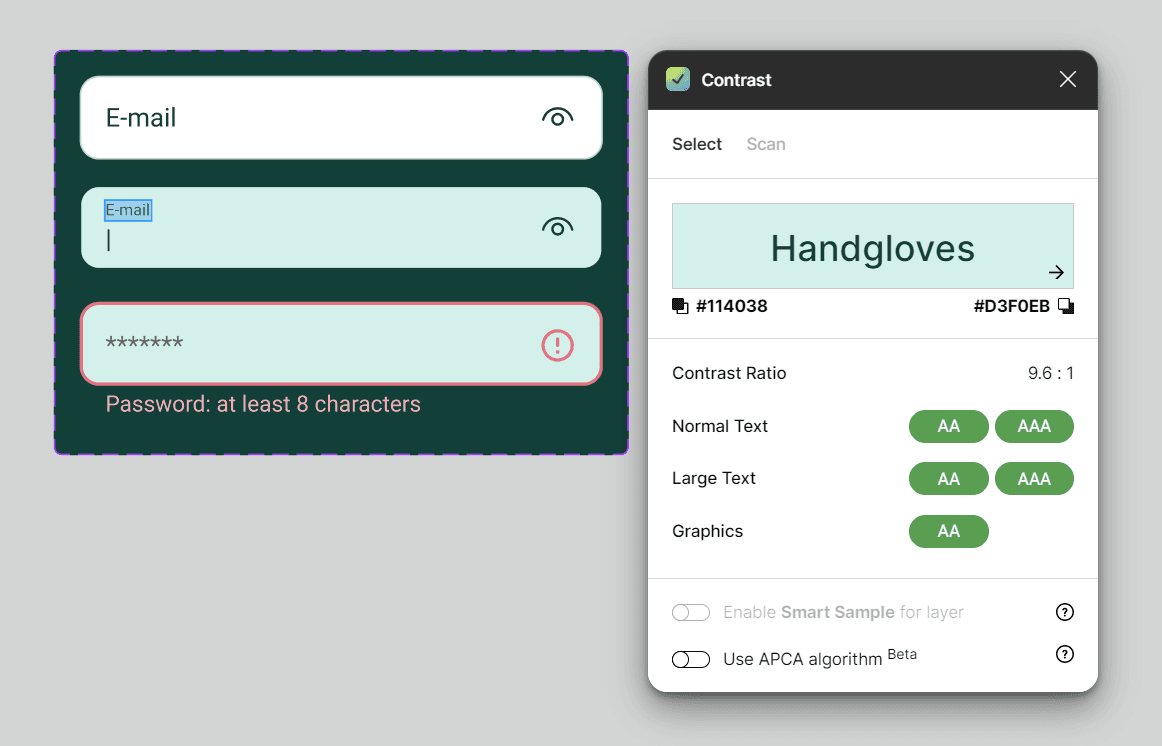
To ensure accessibility, we used contrasting colors, large icons, and different forms of presenting content: images, articles and videos with transcription.
The idea behind the project
Over half of users* have struggled to keep a plant alive
Have you ever struggled to keep a plant alive? Or maybe you received a beautiful Monstera, but later heard from a friend that it might be poisonous to your cat, so you couldn’t keep it? Or have the leaves of your favorite Rattlesnake plant gone yellow out of the sudden, and no matter what you did, it just kept getting worse, so you just gave up and wanted to get rid of it? We’ve been there too! *according to our survey conducted with 143 users.
That’s where Plantify's plant adoption comes in!
If for whatever reason you cannot or don’t want to keep a plant in your house, with Plantify you can give it away for adoption. Someone else can take care of it, and who knows, maybe even heal it? No more feeling guilty about killing plants and producing waste!
Other problems
Plant-related advice of questionable quality
It’s hard to find verified, quality advice online, because it’s not clear who writes the articles, and what competences the authors have.
Constant plant care is impossible
Each time you go on longer vacation, you need to write detailed instructions for your friends, come up with a full schedule, and leave the keys to your house - it takes a lot of time and effort.
Users hesitate to post plant content on their regular social media
Unless you’re a plant social media influencer, you might feel like your followers are not interested in every baby leaf that grew on your Monstera, or that you’re not pro enough to do so!
Solutions
Professional knowledge base
Get advice and plant tips from verified Plantify experts - a team of botanist, scientists and experienced plant specialists. Find content in different forms: articles, videos with transcription, short videos and info-graphics.
Temporary care - Hotel feature
You can leave your plant under the care of a different user. Exchange messages, share plant’s watering and fertilizing schedules easily!
Dedicated Community space
It’s a space where you can share plant related content and feel appreciated and welcome. Get those kudos you deserve!
What, why and for whom? - UX research
We wanted to check if our idea for the app was a good one - wouldn’t we be repeating what’s already on the market? Do users really need and want to exchange plants? If so, how should this feature work? Do people even care about plants? Is there anything else our app can help with? We tried to answer these questions in the UX research phase.
Selecting the right UX research methods
UX method
To learn what’s already available, what’s missing, what our opportunities, and how specific features are built.
To learn who our potential users are, what are their behaviors, and what features they’d be interested in.
To learn what’s important for users that have different experience levels in plant care, understand the motivations and pain points better, and see if our ideas to fix them would be helpful.
To understand the goals, annoyances and needs of our users better and empathize with the users easier.
To stay focused on the end users and remember that the spectrum of users is wide, as they are different ages, and they have different levels of experience with plants, which results in different habits and needs.
To help us deliver a valuable product that can actually answer users’ needs and pains, and bring relevant value.
Learning from competitors
Yes, we know that there are many applications available for plant lovers, and some of them offer really cool features, but after taking a look at 10 different apps (both local and international), and analyzing in detail 4 of them, we noticed that none offers the adoption feature. Later during the process, when we were sure that plant adoption is a must have feature, we also investigated marketplace platforms like Vinted, Facebook Marketplace, and OLX.pl (local online marketplace) to learn how the exchange feature could be built.
Plant exchange is currently only available on Facebook groups and during local, live events. We can fill in that gap by allowing an exchange through the app. This can be especially beneficial for those who prefer not to have a Facebook account.
People easily engage in a subject that’s interesting to them. We can create a welcoming, helpful community where they could share tips, advice and their achievements.
Most of the apps serve knowledge in only one form - articles or videos. We could offer different forms to meet the needs of different users. There could be articles, videos (with transcription), graphics, reels.
Only one of 10 applications we browsed highlights the impact that growing plants has on environment, and one's wellbeing. Apart from aligning with zero waste movement, we can highlight environmental impact.
Getting to know the users
We've conducted a survey among 143 users, which helped us gather quantitive data. Then we interviewed 6 different people best matching our user screener, and completed empathy maps. Based on gathered data we created user personas. Below is the summary of our research:
93%
users currently have plants at home
63%
users
aged 31-45
83%
users actively search for information about a plant they own
62%
users would be interested to exchange plants with others
“I hate wasting. I want to have positive impact on the enrivonment.”
"I'm not a plant expert, and I often don't know if my plants get enough sun and water. I need some advice."
Users' struggles
People who can’t or don't want to care for a plant often don't know what to do with it, and struggle to find alternatives, leading to the plant being neglected or discarded.
Users searching for information online feel overwhelmed by the content and unsure of its accuracy or reliability.
Beginner plant owners often lack the knowledge to care for specific species and struggle to identify them by appearance which leads to wrong care practices or causes danger to animals, if plants turn out to be poisonous.
Users struggle to find reliable people who would water their plants while they're away
People often feel judged on social media, leading them to hold back from posting, even when they want to. They lack a safe space to share their interests online.
Users struggle to care for plants of different species due to varying requirements, making it hard to track watering schedules. This often results in overwatering or drying out some plants.
Some users don't have time to do throughout research, read long articles or watch long videos with advice.
Users' goals
Most users aspire to be more zero-waste and have more positive impact on the environment.
Users would like to provide proper care to their plants, aligned with requirements of particular species.
Users would like to post their content online (like pictures of their plants) without the criticism that's common in social media.
Users would like to surround themselves with beautiful plants, especially those who live in big cities and don't have easy access to nature.
Staying organized and focused - project guidelines
Guidelines
Enable plants adoption (temporary & permanent)
Find home for unwanted plants, reduce waste and promote environmental values.
Provide high-quality, easy-to-use knowledge base
Help users quickly find reliable plant information in various formats tailored to their needs. Reduce overwhelm, time spent on searching. Promote environmental values by highlighting zero-waste advice.
Provide plant recognition tool with plant description
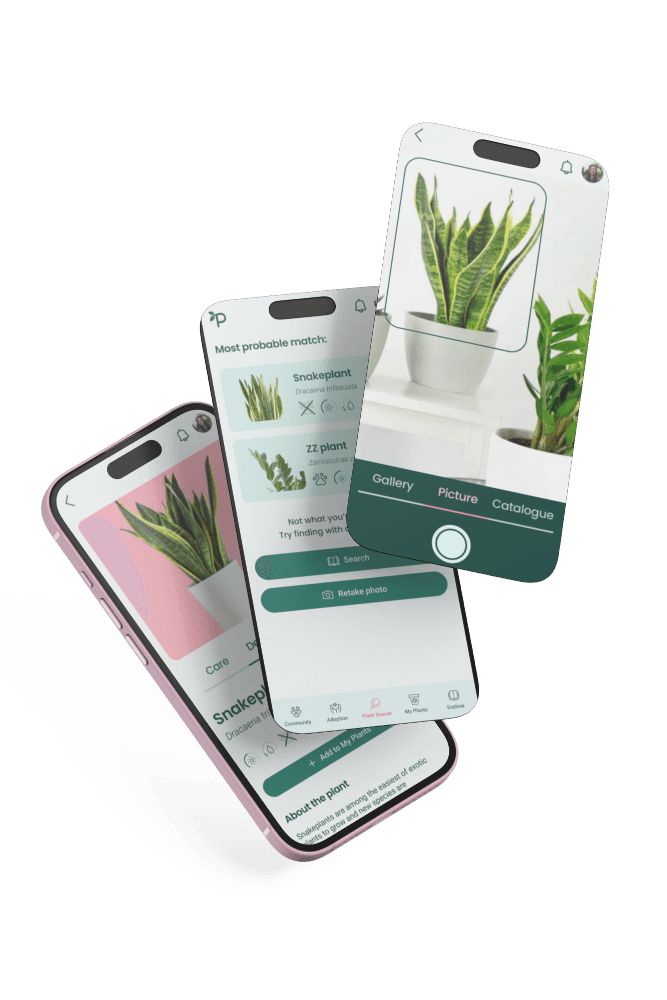
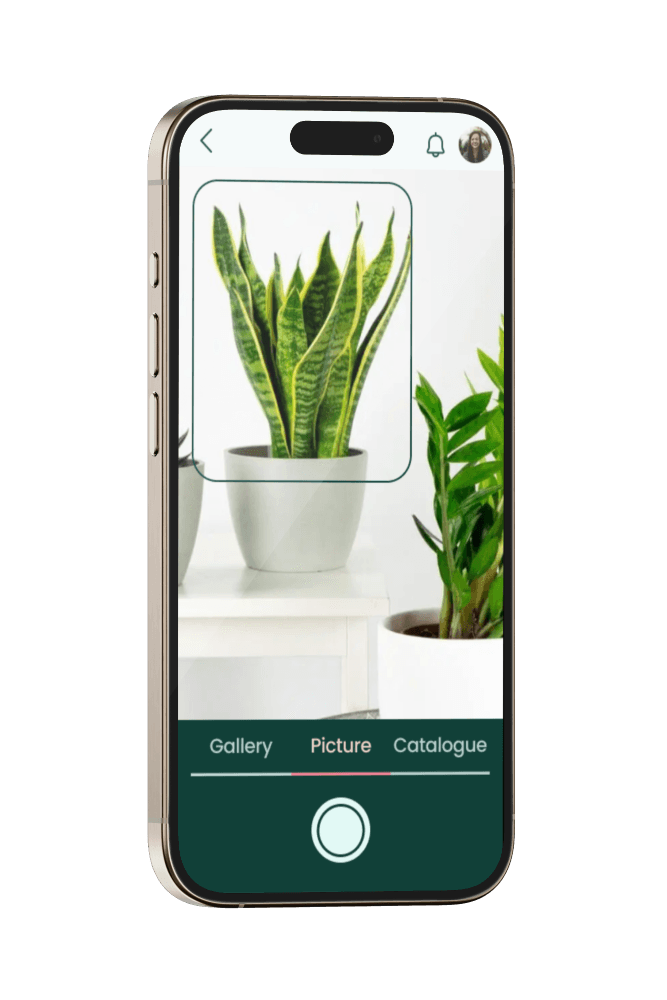
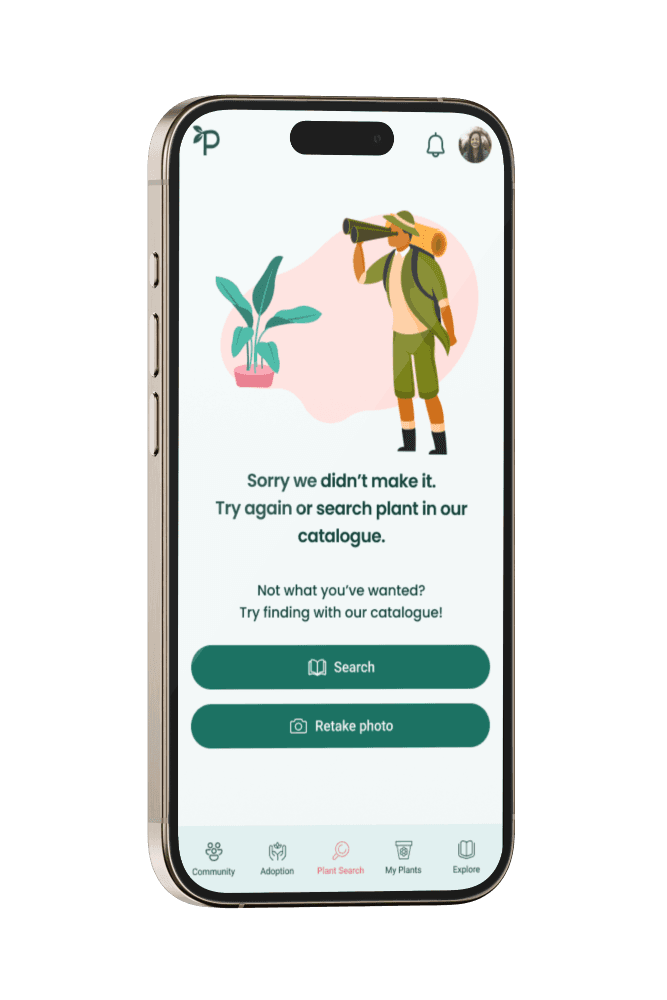
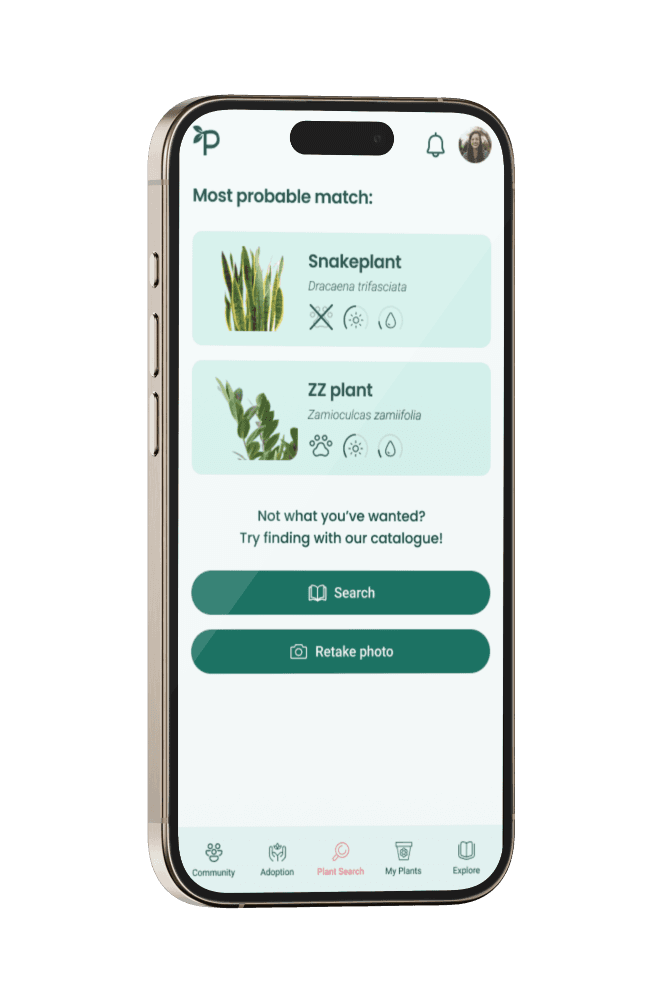
Enable users to identify plants, learn about their plant care requirements
Include interactive, personalized plant care plan
Help users implement proper care aligned with species' needs, keep track of watering and fertilizing schedule
Provide a safe, welcome community
Create a safe environment where users can post plant related content without feeling judged
It's all about usability - UX design
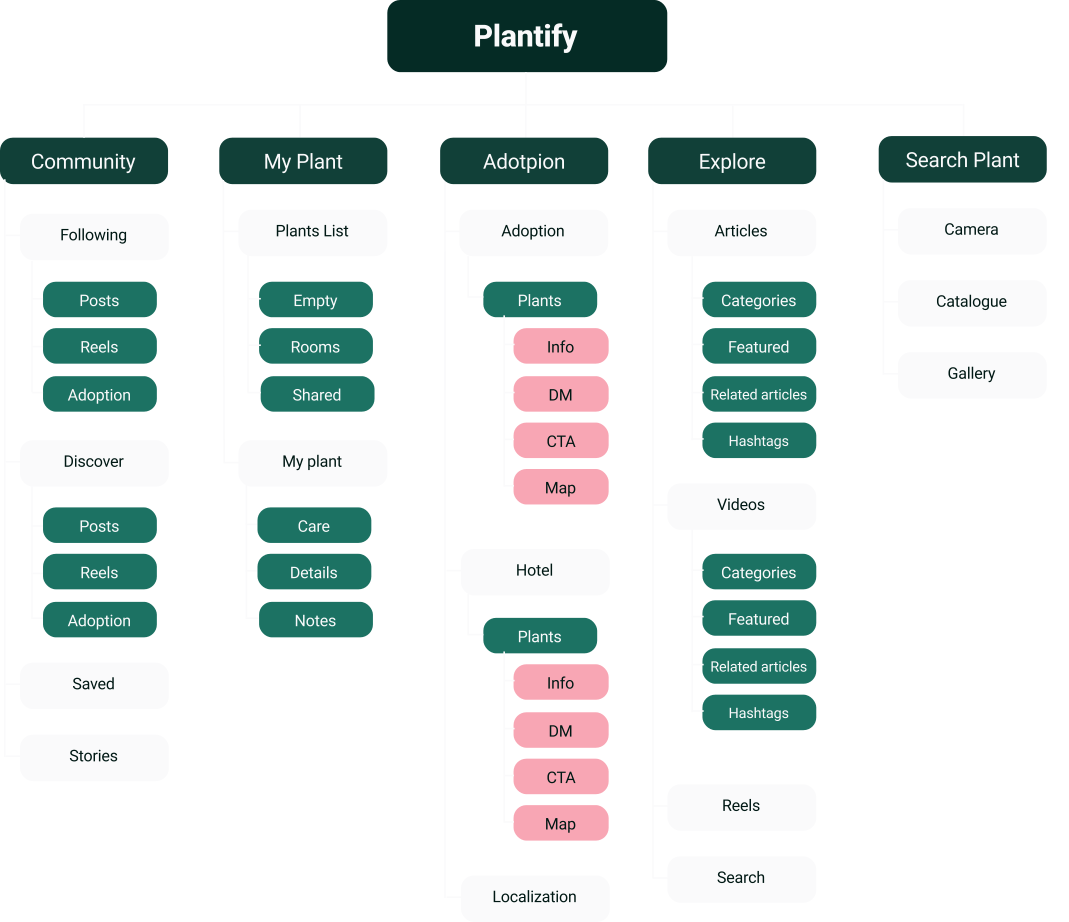
Information architecture
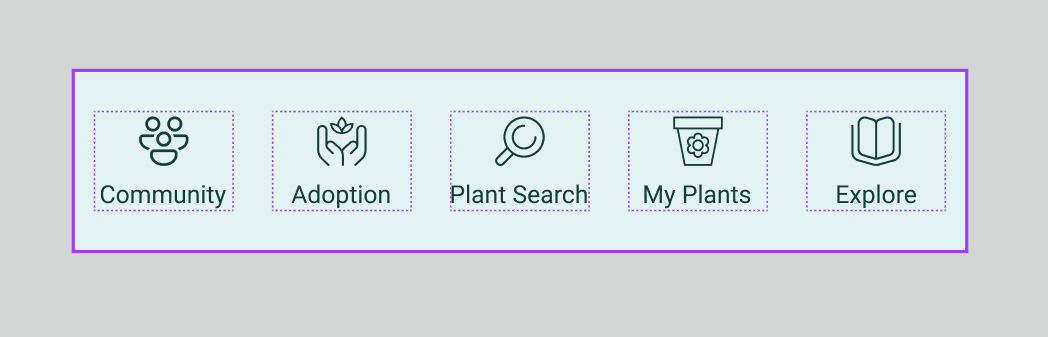
We provided seamless experience thanks to simple navigation, short user flows and thought through information architecture.
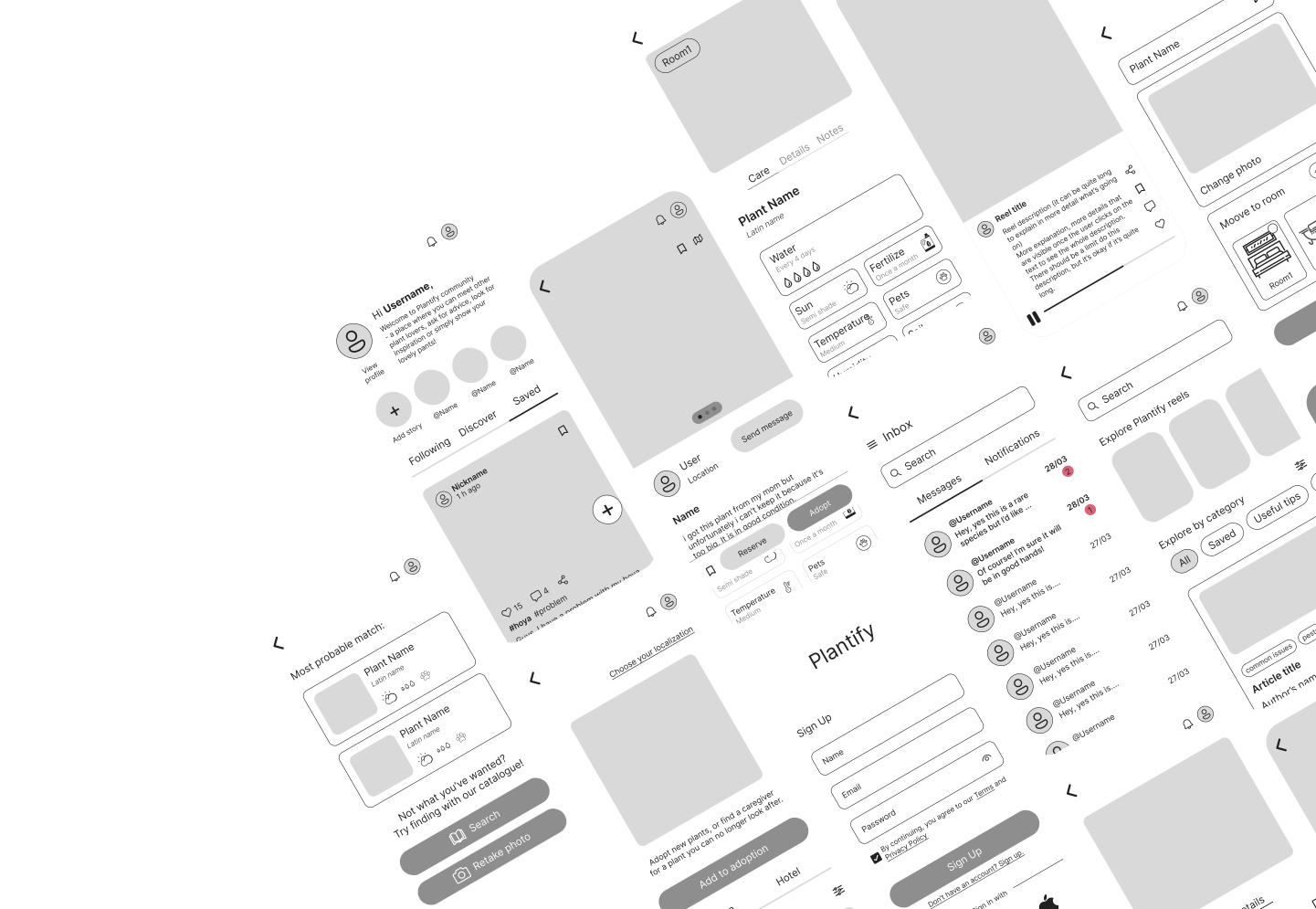
Wireframes
The end result of our UX design phase were wireframes of the 40 screens we designed. This helped us identify which areas still lacked improvement, and see if the flows we designed were usable. After iteration we could begin the UI design phase.
Design System
We created a simplified design system that could be a good base for future development, and for collaboration with the developers. I believe it has a huge potential to become a real, professional design system. It consists of design language, components library and basic documentation attached to components.
The design language consisting of:
branding,
colors,
typography,
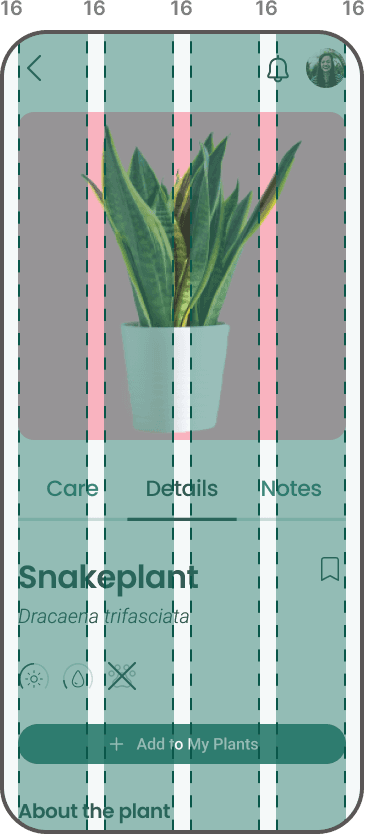
grid system
icons,
illustrations
Branding
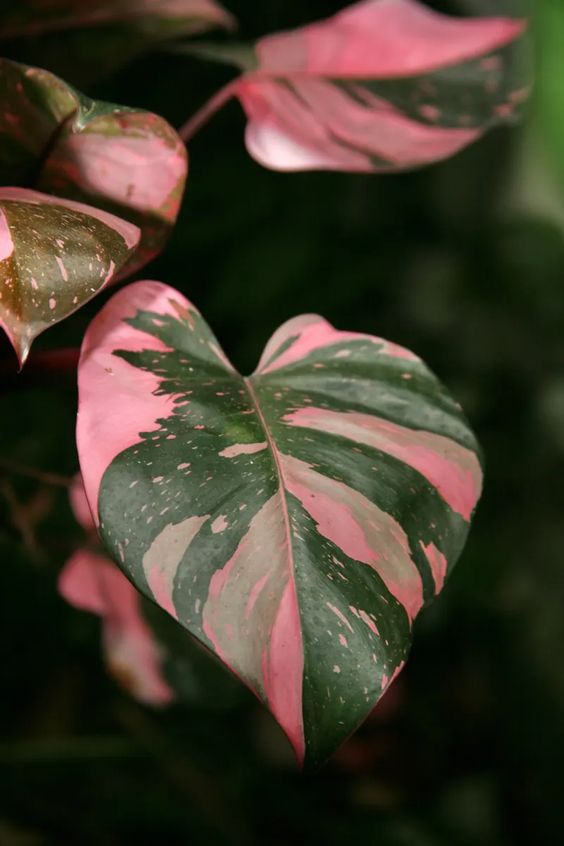
We chose minimalist aesthetics with nature inspired, delicate colors to give the interface a feeling of calmness, and warmth.
Primary colors
#F5F5F5
Creates feeling of
space and cleanness
#F8A6B4
Symbolizes
delicacy, care
#114038
Symbolizes
nature, growth
#BFDBD7
Symbolizes
nature, growth
#F9CDC9
Symbolizes
delicacy, care
Secondary colors
#1C7263
#E3F2F2
#FFECEF
#FFF2F4
Typography
Poppins
Semibold 32 px, 24 px, 20 px
Medium 16 px
Roboto
Italic, 20 px
Light italic, 14 px
Chlorophytum comosum
Roboto
Regular, 16 px
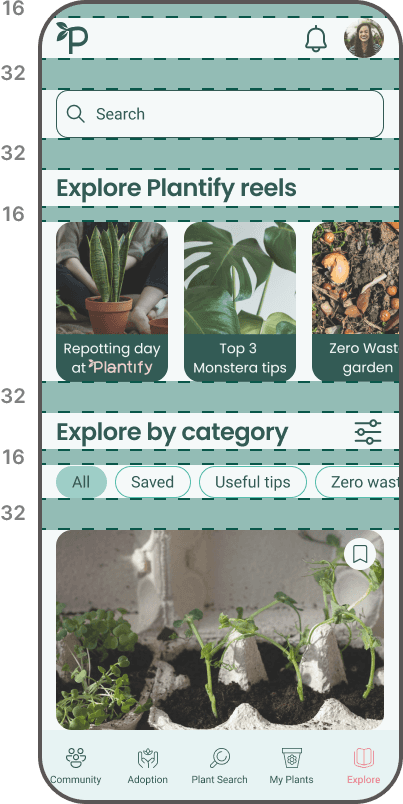
Grid & spacing
Icons
?
80+ icons
Illustrations
We chose flat design which helps users focus on the content and functionalities, which are the most important in our app.
Components library


Adopt
Settings
Followed
Fertilize
Every 3 months
|
Learning & streamlining the design process
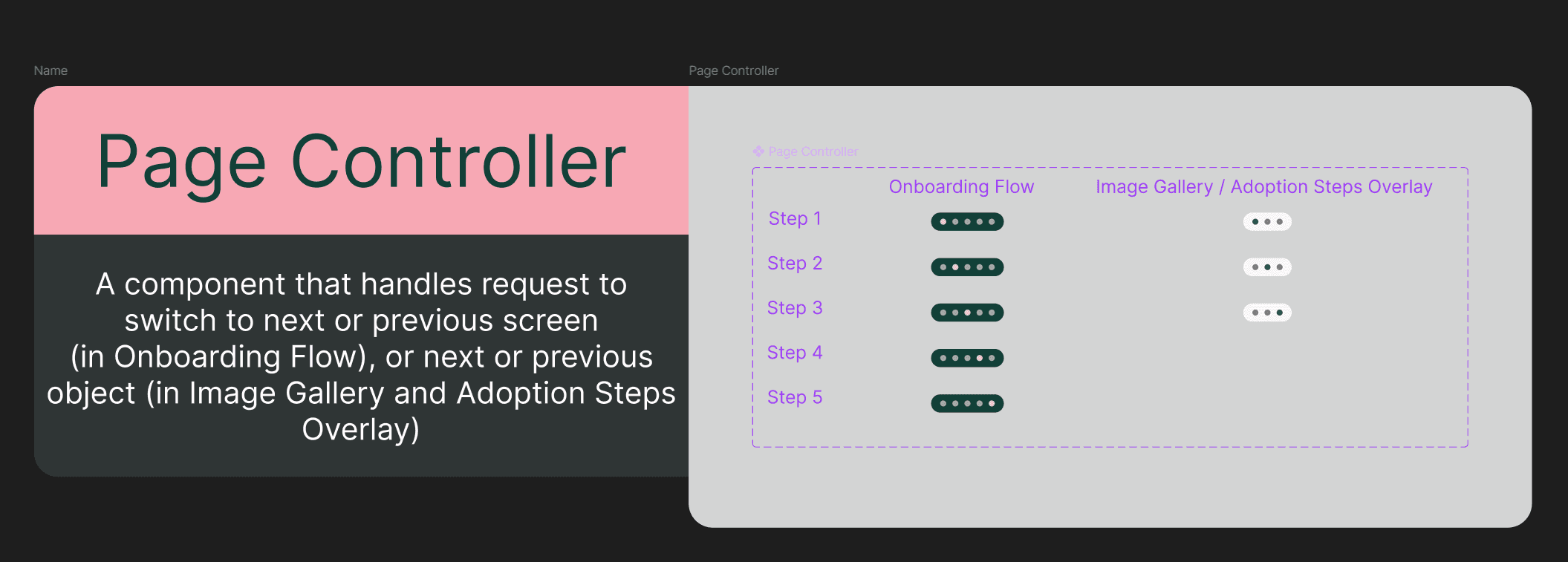
We decided to create a detailed and polish component library with a few goals in mind:
Get a feeling of how it is to work on a design system
Learn how to structure and keep the design files clear
Facilitate collaboration within the team (the notes we left next to each components could be helpful to dev team in the future, but were really helpful to us as well. We saved a lot of time not having to communicate everything on Slack, and we could focus on designing, rather than asking each other questions and clarifying)
Make designing high-fidelity mockups easier and faster
Adoption
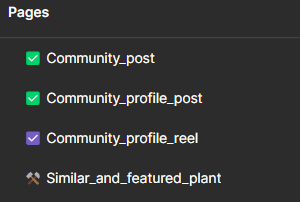
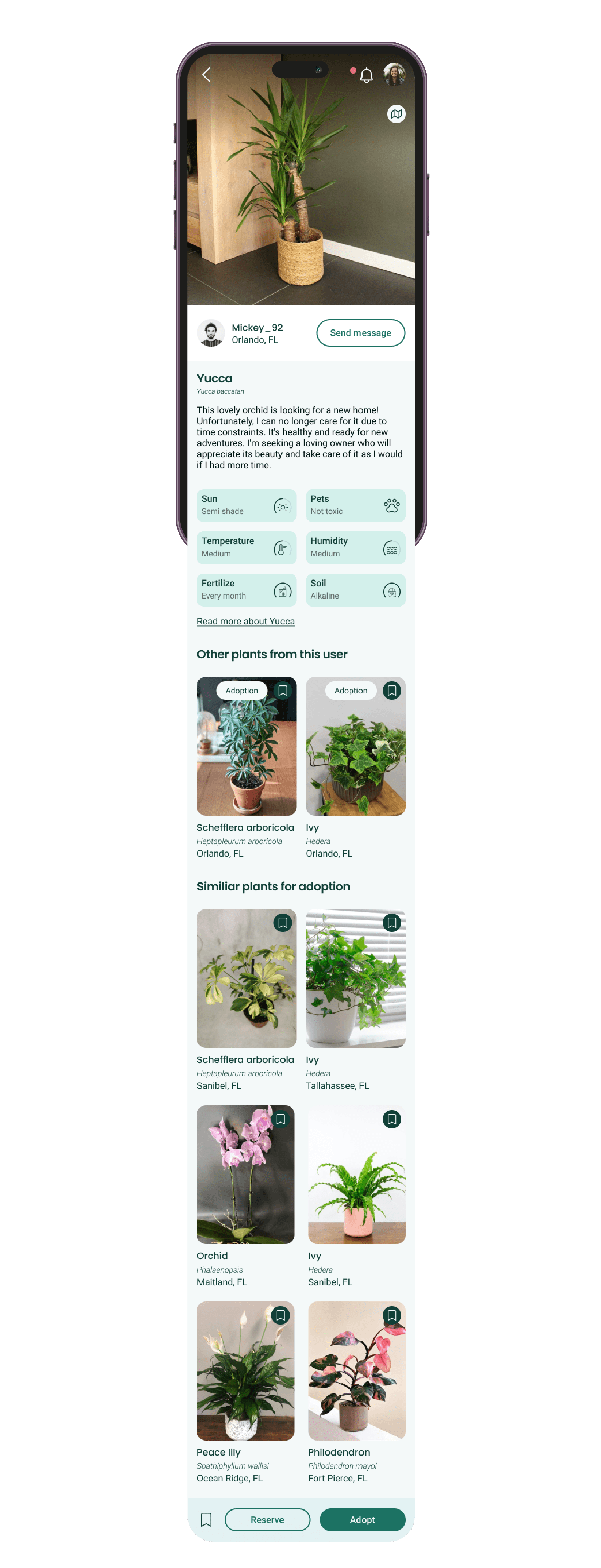
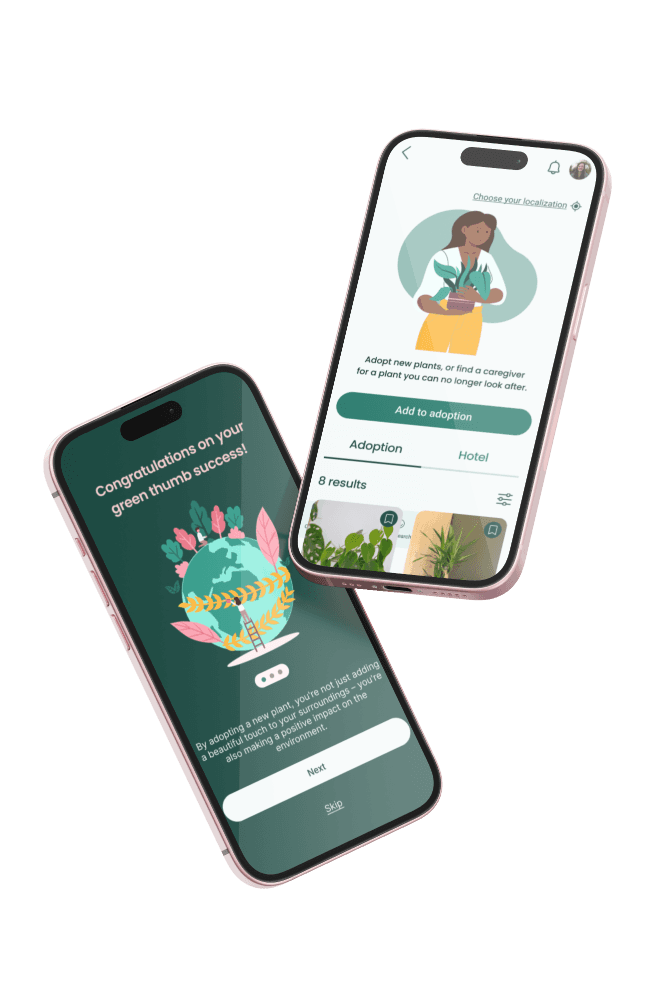
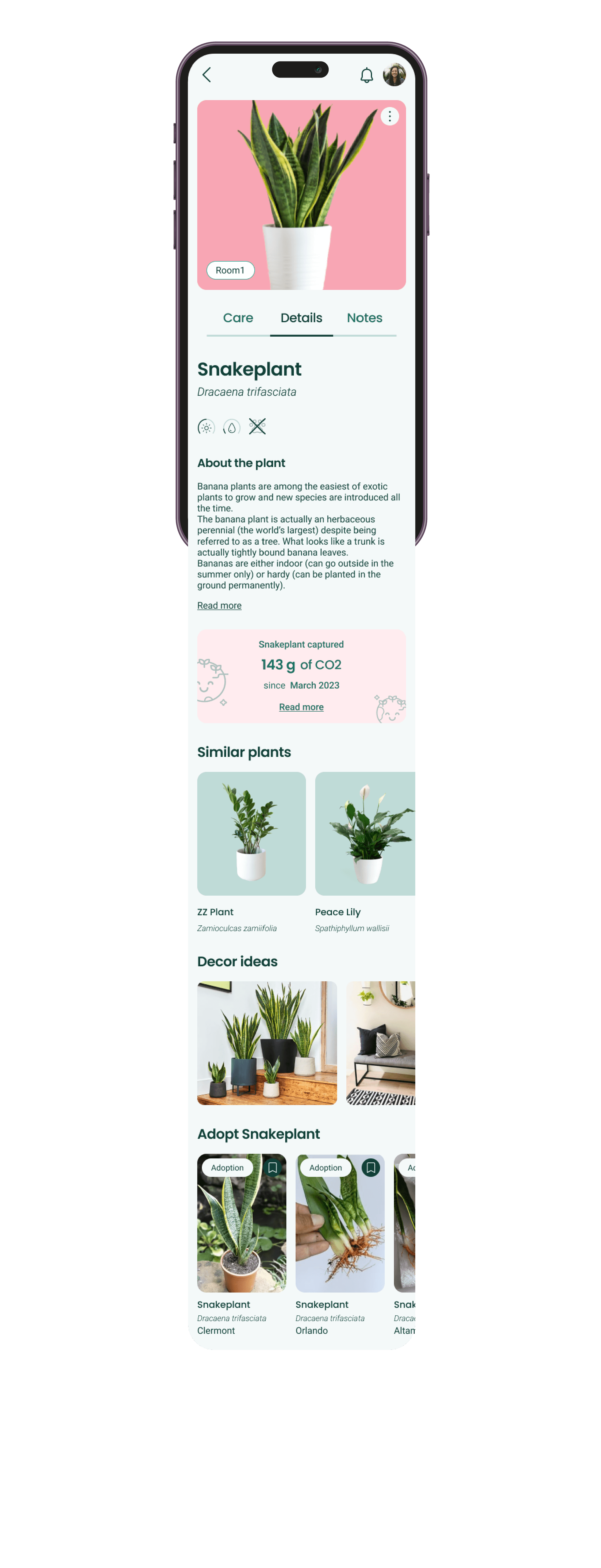
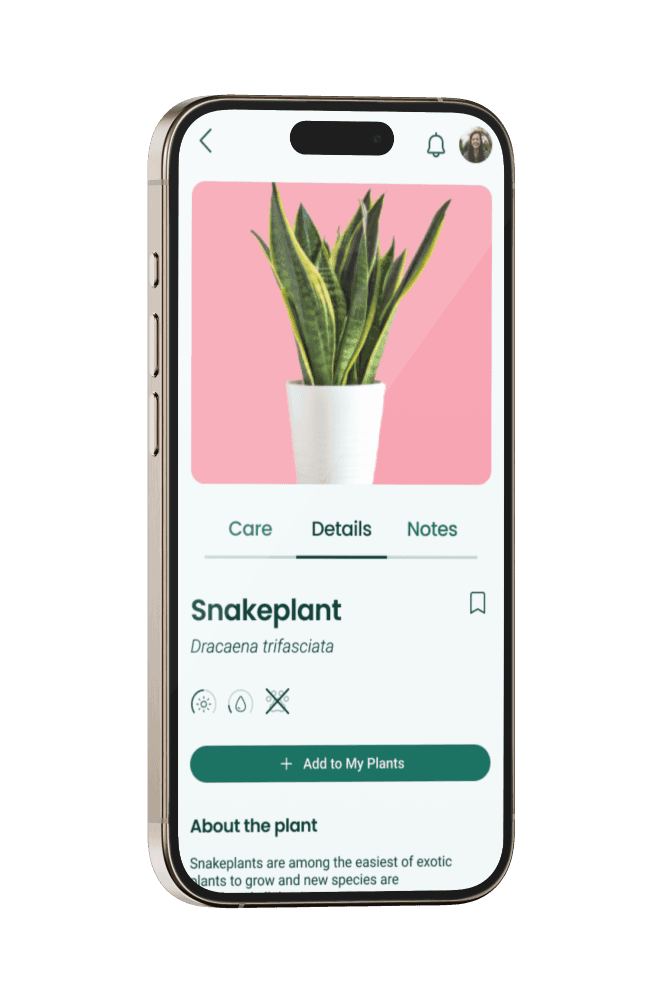
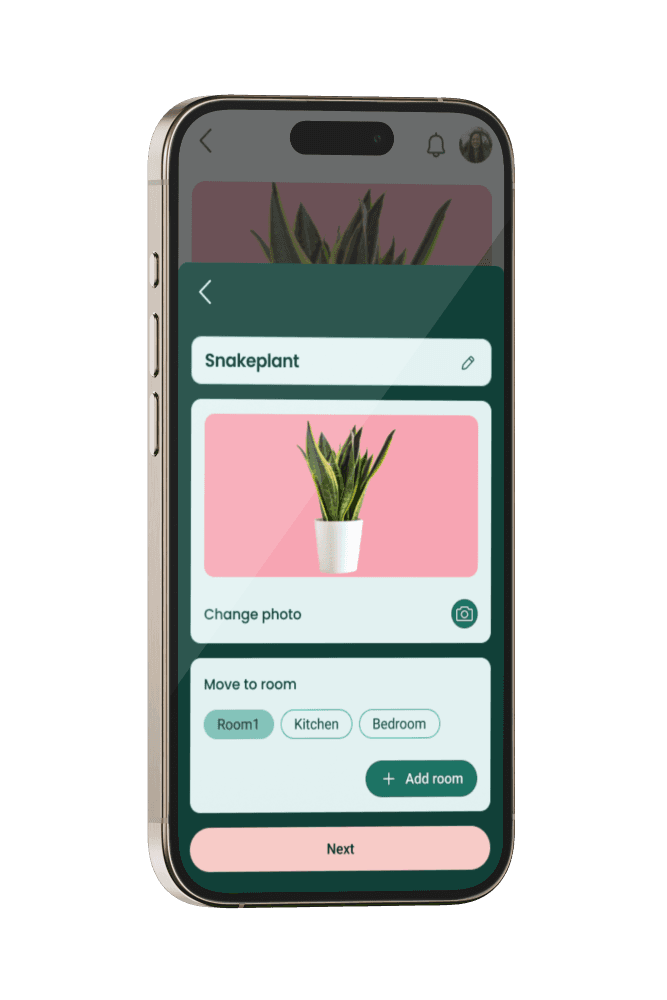
Adoption and Hotel feature is our answer to the fact that many users cannot or don't want to keep some of their plants at home or have no one to take care of their plants while they're traveling. Here the users can give away a no longer wanted plant, and have someone else adopt it for free.
Hotel allows the user to find a care giver for their plants while being away.
My plants
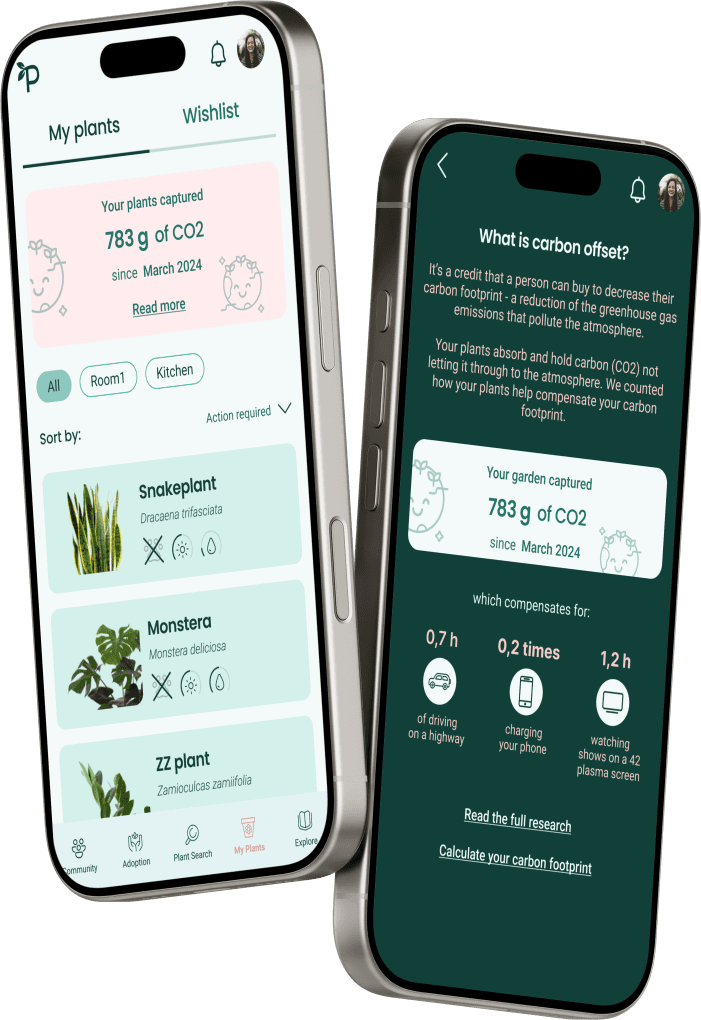
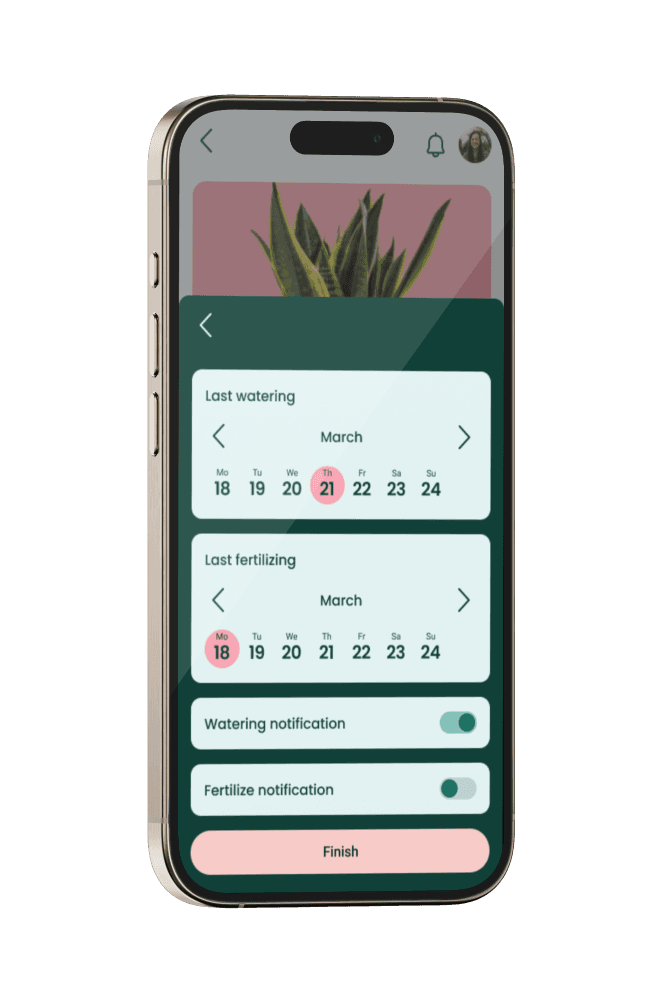
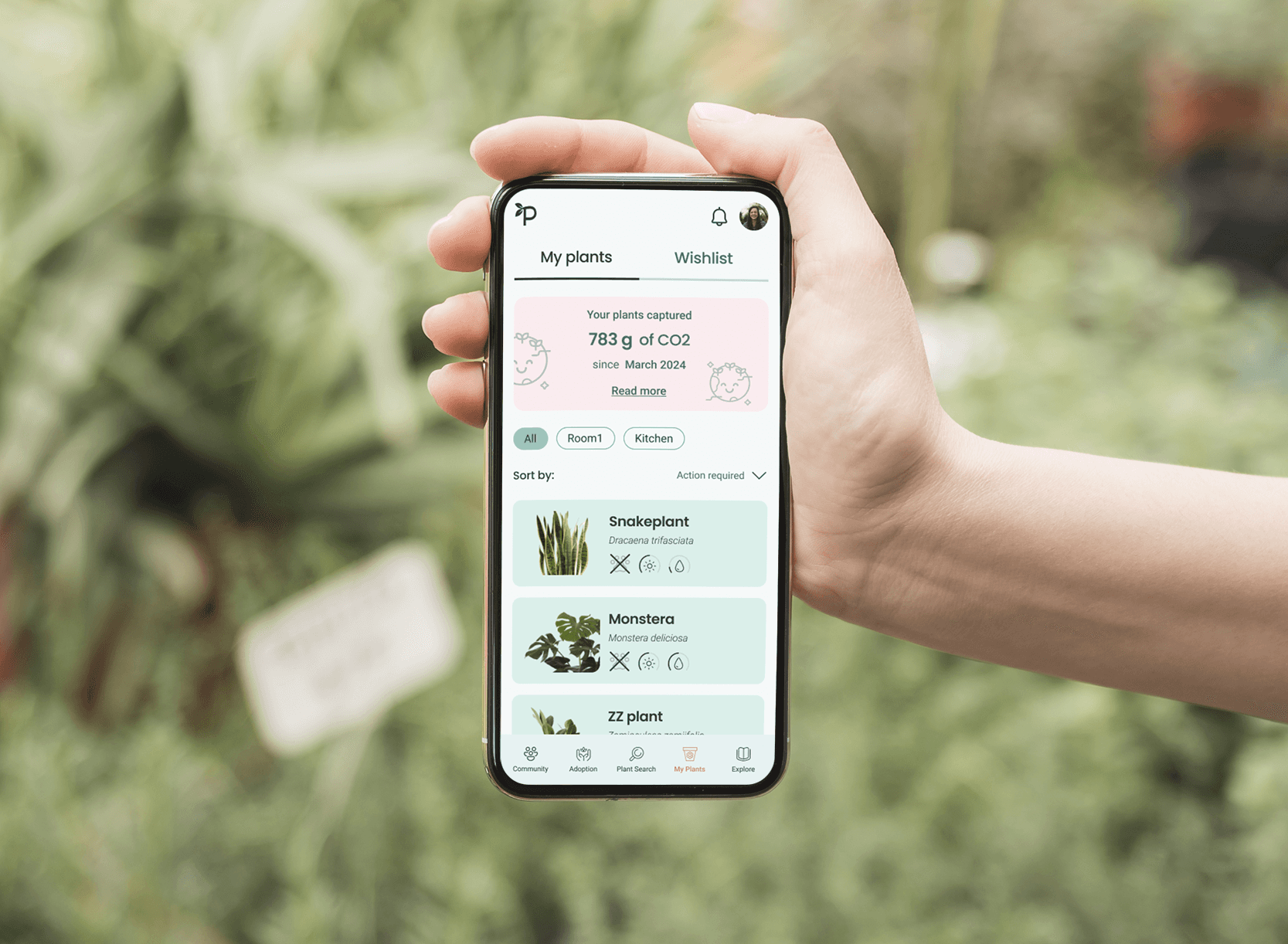
It's a space where users can keep track of all their plants. Plant care has never been easier! See your plant's requirements, keep track of watering and fertilizing schedule, get personalized reminders and tips and see how your plants are contributing to a healthier environment.
Community
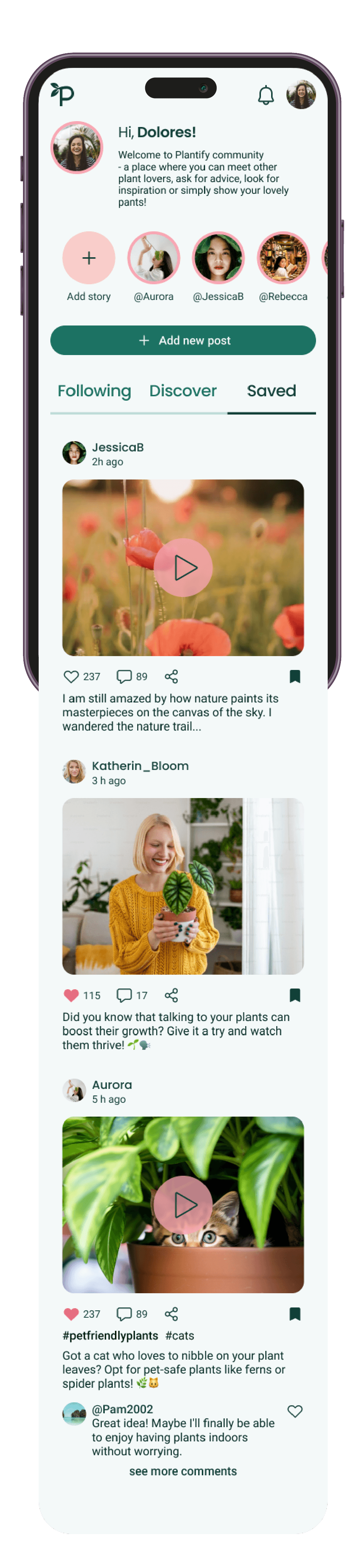
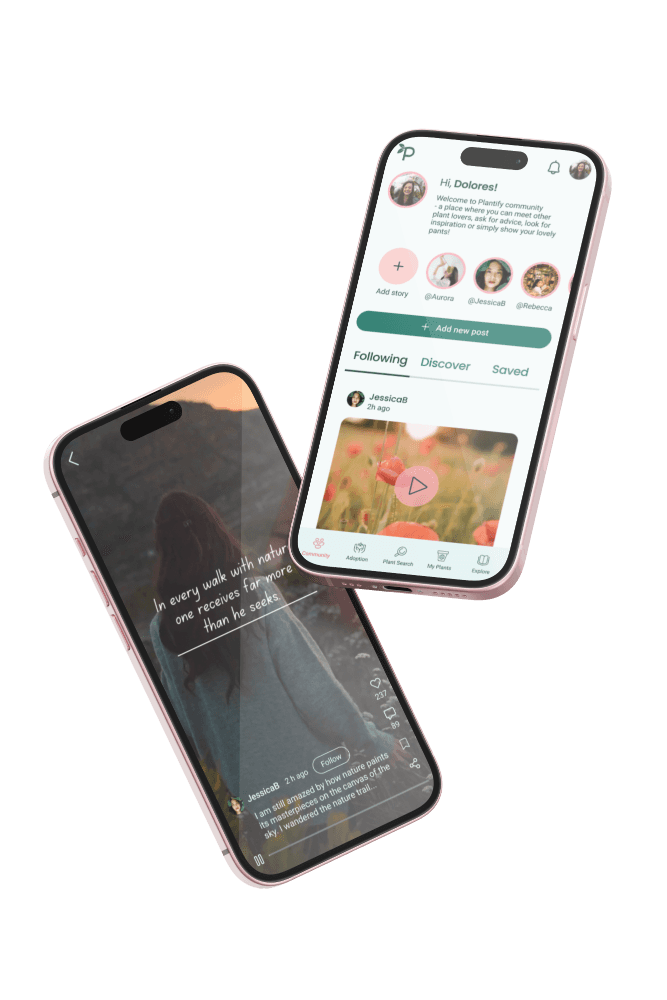
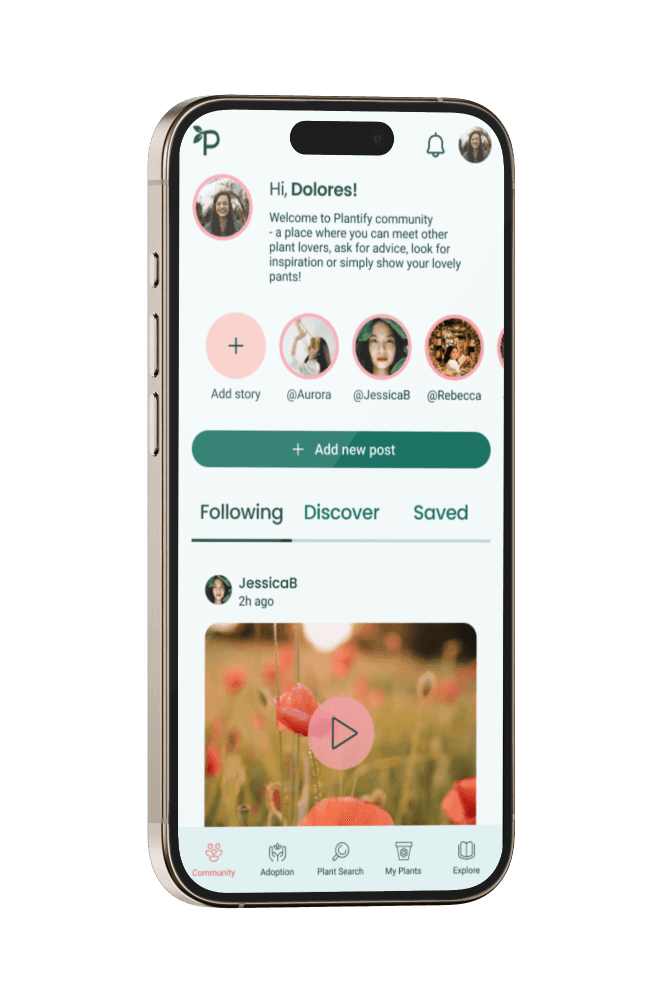
Plantify offers a social media platform for users sharing the same interests. It's safe space where users can get advice from other plant lovers, meet new friends, get inspired or show their own plants.
Plant search

Explore
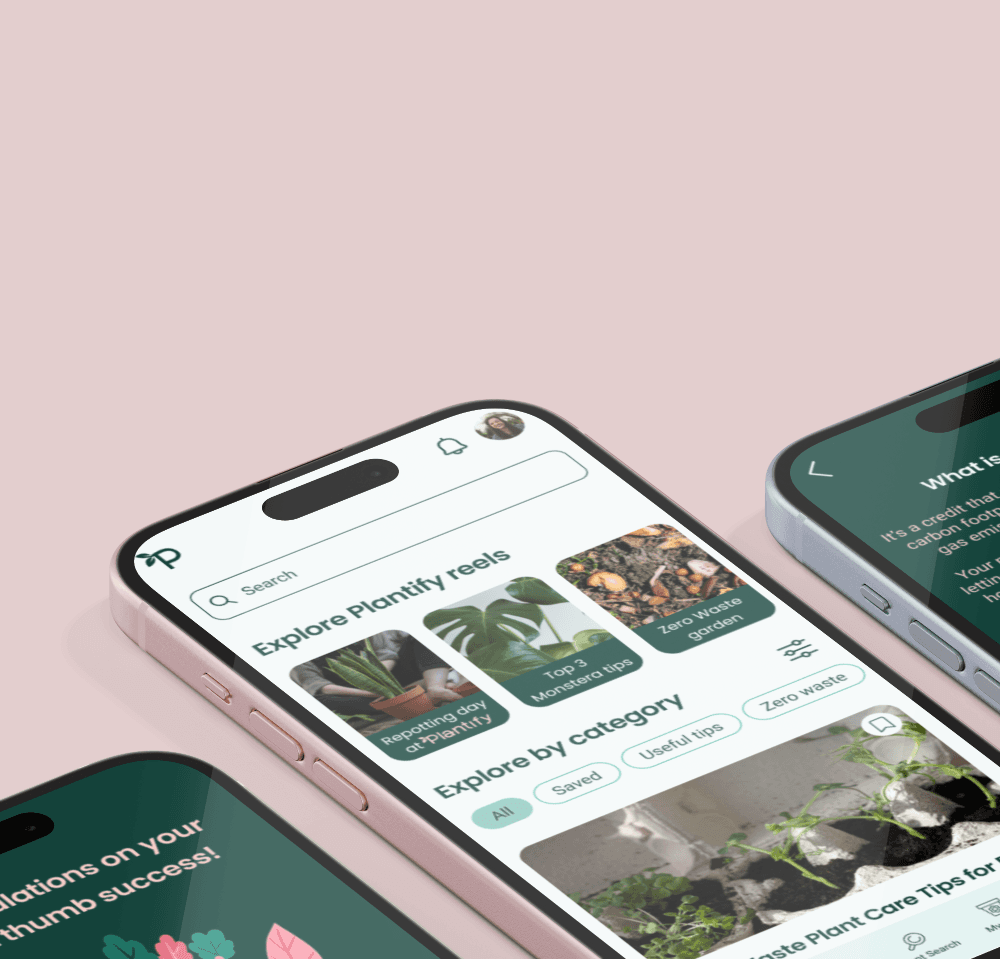
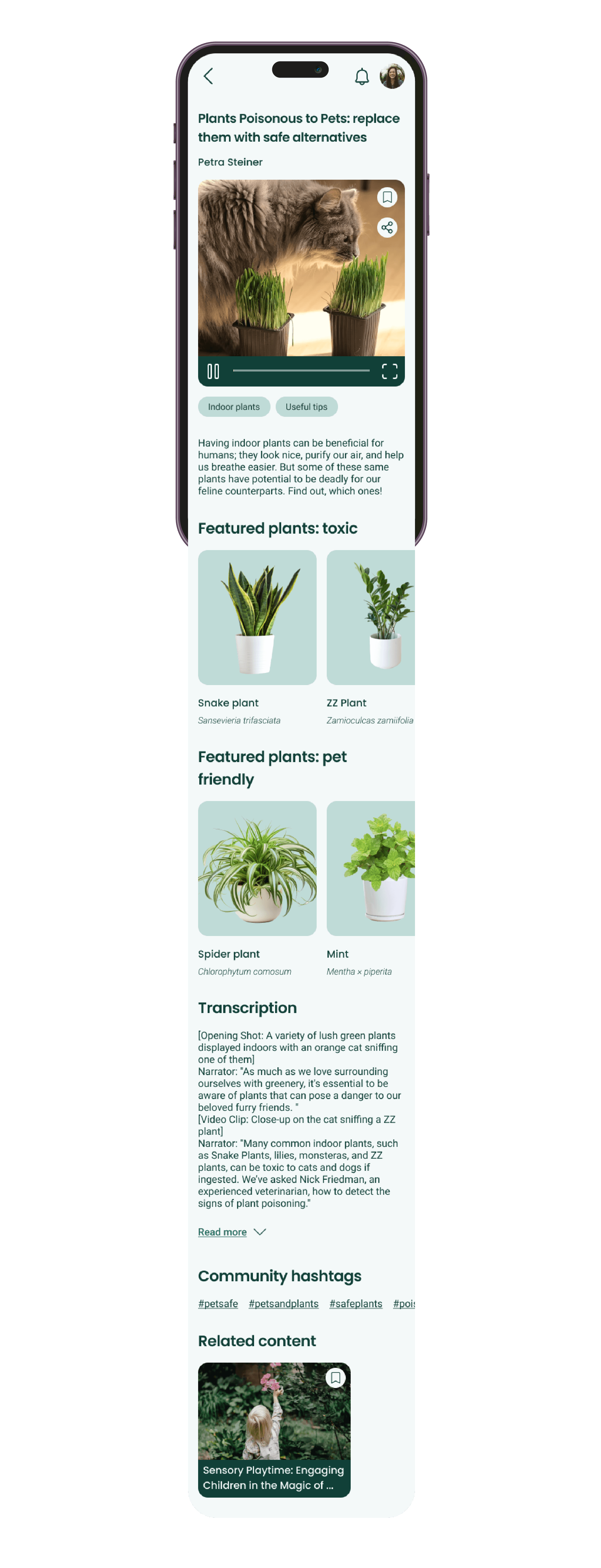
It's a professional, categorized knowledge base containing materials prepared by plant care experts. It can be easily searched or filtered. Content is available in different formats - from short reels and videos to written articles.
Users can easily find and save advice and tips, as well as view details of plants that are mentioned.

When can you call the project successful?
The goal of building the app was to help users who struggle with keeping plants alive, or cannot keep them at home for any reason, so first of all we would measure the number of adoptions per month, and see if the adoptions/users ratio increases over time.
Secondly, we'd measure if the knowledge base is helpful by keeping track of user actions such as saving the content, using filters. It would be great to watch session recordings of the Explore section, to see if users find information easily, for example use the search bar interaction as the trigger for session recording, then see how many pieces of content the user browses, before leaving. We could assume that the less content browsed, the easier it was to find relevant information.
We could also measure the number of active users in the community, and see if the new posts/users ratio increases over time. If it does, it could mean that users do feel safe and confident in this space.
What I've learnt
Since this was my first team UX/UI project, I learnt the discipline that came with the fact that we were all relying on each other. I discovered that having strict deadlines motivates me.
I've learnt that a well structured components library can be super helpful in the design process. The cleaner and better organized, the easier it is to find the right component and make relevant updates. The library with well described components also improved the communication in the team. In the future, we'd also add dev notes to improve the communication during handoff to the developers.